
Counterpoint integrations
CIMARA Ask AI for Counterpoint
Big-retailer merchandising, without the buying team.
CIMARA Ask AI gives a small retailer the merchandising muscle of a large chain, without a team of specialist buyers doing the math. Ask questions about your sales and inventory in plain English. Get suggested restocks, markdowns and purchase orders built from your own sales history. Plan by season with a suggested Open to Buy you can adjust in a click, and plan trade shows and markets against your budget with Show Buyer View, with margins worked out as you enter costs. CIMARA Ask AI handles the numbers, so you can focus on what only an owner can do: choosing products that fit your store, within your budget.
AI insight on top of your Counterpoint data: smart buying and smart location reallocation, with the reasoning behind each suggestion.
CIMARA Ask AI for Counterpoint is part of the CIMARA retail platform for travel, tourism, and destination businesses, by Frontier Retail, Inc. It adds AI insight on top of the NCR Counterpoint system you already run. CIMARA Ask AI, the Brain, reads your Counterpoint data, and Counterpoint stays the system of record. The gold AI reports are live today.
CIMARA Ask AI is your personal business analyst, not a chatbot.
CIMARA Ask AI
Suggested Stock Reallocation and Purchasing Recommendations
Suggested Stock Reallocation and Purchasing Recommendations are the headline. AI analytics does the research for you: it reads sales velocity, on-hand, open-to-buy, and margin across locations, and explains the reasoning behind every suggestion.
The buyer sees that reasoning before anyone writes a purchase order or a transfer. Both reports are ready to review today.
Headline report
Suggested Stock Reallocation
AI analytics reads sales velocity, on-hand, open-to-buy, and margin across every location, then names which store should send stock and which store should take it, with the reasoning behind every suggestion.
Headline report
Purchasing Recommendations
AI analytics reads sales velocity, on-hand, open-to-buy, and margin, then names what to buy and from which vendor, with the reasoning behind every suggestion.
Open to Buy
Open to Buy for Counterpoint
CIMARA Ask AI has an Open to Buy worksheet for Counterpoint shops. The system of record stays Counterpoint, and the worksheet does not place orders. It reads Counterpoint history: month-start retail inventory, receipts, transfers, sales, markdowns, shrink, and open purchase orders. Every dollar is retail. A Replace view covers what sold. An AI view marks each line Increase, Decrease, or Hold, with the reason. Group by department, class, or vendor, and filter by store. The plan period matches the chosen history range. Approximate cost equals retail open to buy x (1 – GM%). That cost stays hidden without View Costs. Export the worksheet to CSV, Excel, PDF, Print, or Email.
Show Buyer View is trade show and market planning built on that Open to Buy. Plan each show by Department, then read planned versus actual and the variance by vendor. The worksheet still groups by Department, Class, or vendor.
Trade show and market planning
Plan the gift market. See planned versus actual before you leave.
Show Buyer View is trade show and market planning on the Advanced tab of CIMARA Ask AI, built on AI Open to Buy. Plan each gift market and trade show from Open to Buy, plan spend per vendor and by Department, and track actual against that plan. The variance, plus or minus, is live per vendor and in total, on your phone.
Show Buyer View requires CIMARA Ask AI with Advanced reporting. Advanced reporting is licensed per store.
- Before — Plan, at the office. Plan each show and market budget from the season’s Open to Buy. Give the show a budget by Department, and set aside a new-vendor reserve for discoveries. Plan spend per vendor, in retail or in cost, with appointment day and time. Sort by appointment or by vendor, then print or email the Show Plan with totals.
- At the booth — Track, on your phone. The Appointments view lists vendors by appointment time. Tap a vendor for planned, actual, and the variance. Actual is your estimate at the booth, and Open to Buy drops as you enter it. Department Open to Buy left and the show budget left show in cost, retail, and GM$, with last show’s buy and how those items sold against last season. Quick-add a new vendor. That spend counts against the new-vendor reserve.
- After — Compare, planned versus actual. When the vendor’s purchase order posts in Counterpoint, the posted PO cost replaces the estimate, so Open to Buy is never double-counted. Compare planned versus actual per vendor and in total. The variance is plus or minus, on the same phone. Print, email, PDF, Excel, or CSV anytime.
- Plan the show from Open to Buy: each gift market and trade show takes a budget from the season’s Open to Buy, by Department, with a new-vendor reserve for discoveries
- Plan the spend per vendor: appointment day and time, and planned spend in retail or cost. Print or email the Show Plan, with totals, before you leave the office
- Track actual as it happens: at the booth, the estimate is the actual and Open to Buy drops as you enter it. When the purchase order posts in Counterpoint, the posted PO cost replaces that estimate
- Variance, live, by vendor and Department: planned versus actual, plus or minus, per vendor and in total
- Planned versus actual while you are still on the floor: at the show the vendor often writes the order
- The variance is a number, not a verdict: it shows plus or minus. It does not judge an over-buy or an under-buy
Live today
The gold AI reports.
These reports run on Counterpoint data now. They are recommendations, with the reasoning attached.
- Open to Buy replenishment: the Open to Buy worksheet for Counterpoint shops. It reads Counterpoint history and does not place the order
- Show Buyer View: trade show and market planning built on Open to Buy. Plan the show and each vendor, then see planned versus actual and the variance by vendor and by Department
- Suggested PO: names the vendor lines to buy, with the reasoning beside the suggestion
- Store Transfer & Reallocation: shows which location should give stock up, and which location should take it
- Markdown Recovery: finds aged stock and the markdown that recovers cash without guessing
- Vendor GMROI: ranks vendors by gross margin return on inventory so the next buy favors the ones that earn
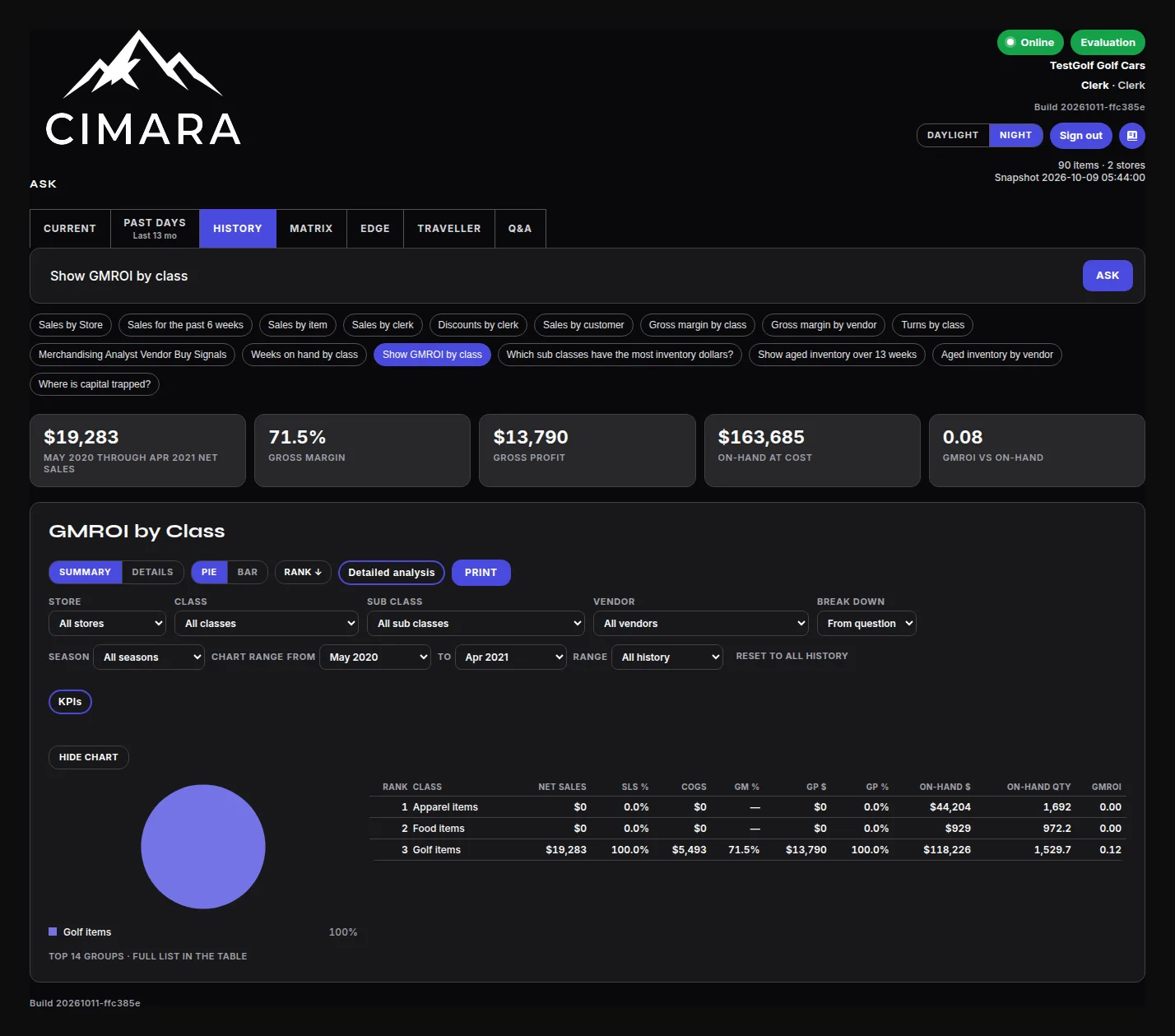
Vendor GMROI
Margin return, by the vendor who earned it.
Vendor GMROI ranks who is earning on the inventory you already own. The History view is the CIMARA Ask AI screen behind that report.
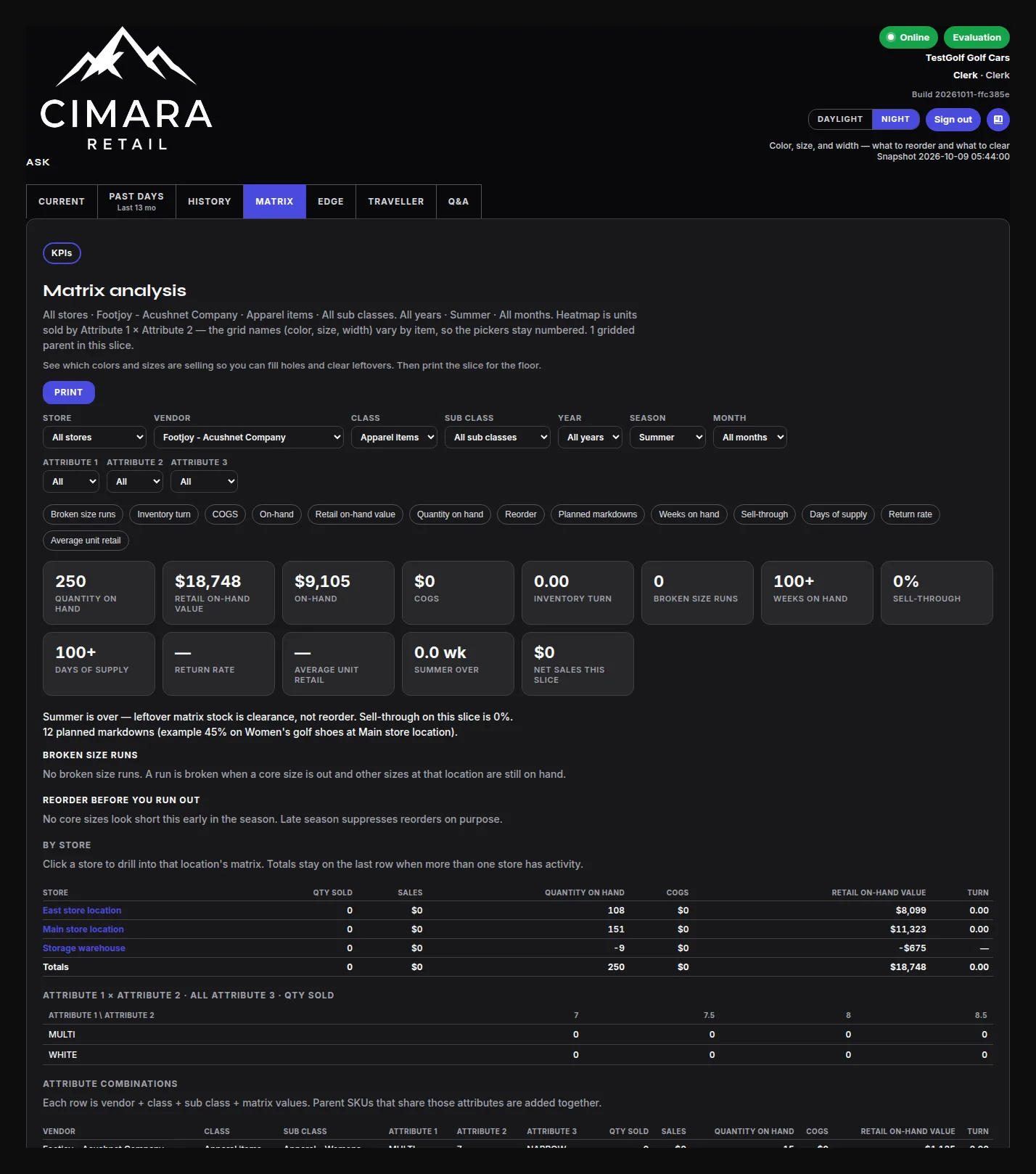
Markdown Recovery
Aged stock, with a markdown you can defend.
Markdown Recovery points at the stock that is stuck and the cut that gets the cash back. The Matrix view is the sell-through read that report uses.
Coming soon
From the suggestion to the purchase order and the transfer.
Turning the suggestions into purchase orders and transfers is coming soon. Today CIMARA Ask AI shows the buy, the move, and the reasoning. The buyer still writes the purchase order and the transfer in Counterpoint.
Suggested Stock Reallocation and Purchasing Recommendations will feed that same intelligence into CIMARA Core when it creates the purchase order and the stock transfer. That step is coming soon to CIMARA Core.
Questions
CIMARA Ask AI for Counterpoint, in plain terms
What is CIMARA Ask AI for Counterpoint?
It adds AI insight on top of NCR Counterpoint. CIMARA Ask AI, the Brain, reads the Counterpoint company file you already keep and answers with the gold AI reports. Counterpoint stays the system of record.
What can buyers use today?
Suggested Stock Reallocation and Purchasing Recommendations are the headline. AI analytics does the research for you: it reads sales velocity, on-hand, open-to-buy, and margin across locations, and explains the reasoning behind every suggestion. The other gold AI reports are live too: Open to Buy replenishment, Suggested PO, Store Transfer & Reallocation, Markdown Recovery, and Vendor GMROI.
Does CIMARA Ask AI write the purchase order or the transfer?
Not yet. Turning those suggestions into purchase orders and transfers is coming soon. Suggested Stock Reallocation and Purchasing Recommendations will feed that same intelligence into CIMARA Core when it creates the purchase order and the stock transfer. That step is coming soon to CIMARA Core. Today the buyer reads the suggestion and the reasoning, and acts in Counterpoint.
Where does the data come from?
From the NCR Counterpoint company file you already keep. The sales history stays in Counterpoint, and CIMARA Ask AI reads it there.
Does Counterpoint have Open to Buy?
CIMARA Ask AI has an Open to Buy worksheet for Counterpoint shops. The system of record stays Counterpoint, and the worksheet does not place orders. It reads Counterpoint history: month-start retail inventory, receipts, transfers, sales, markdowns, shrink, and open purchase orders. Every dollar is retail. A Replace view covers what sold. An AI view marks each line Increase, Decrease, or Hold, with the reason. Group by department, class, or vendor, and filter by store. The plan period matches the chosen history range. Approximate cost equals retail open to buy x (1 – GM%). That cost stays hidden without View Costs. Export the worksheet to CSV, Excel, PDF, Print, or Email.
How do I do Open to Buy planning with NCR Counterpoint?
CIMARA Ask AI has an Open to Buy worksheet for Counterpoint shops. The system of record stays Counterpoint, and the worksheet does not place orders. It reads Counterpoint history: month-start retail inventory, receipts, transfers, sales, markdowns, shrink, and open purchase orders. Every dollar is retail. A Replace view covers what sold. An AI view marks each line Increase, Decrease, or Hold, with the reason. Group by department, class, or vendor, and filter by store. The plan period matches the chosen history range. Approximate cost equals retail open to buy x (1 – GM%). That cost stays hidden without View Costs. Export the worksheet to CSV, Excel, PDF, Print, or Email.
What is Show Buyer View?
Show Buyer View is trade show and market planning on the Advanced tab of CIMARA Ask AI, built on AI Open to Buy. Plan each gift market and trade show, then track planned versus actual spend and the variance by vendor and by Department. It requires CIMARA Ask AI with Advanced reporting. Advanced reporting is licensed per store.
How do I plan a show or a market?
Plan each show and market budget from the season’s Open to Buy. Give the show a budget by Department, set aside a new-vendor reserve, and plan spend per vendor in retail or in cost, with appointment day and time. Sort by appointment or by vendor, and print or email the Show Plan with totals. Show budgets use Department. The Open to Buy worksheet still groups by Department, Class, or vendor.
How do I see planned versus actual on the show floor?
On your phone, open Appointments. Vendors are listed by appointment time. Tap one to see planned, actual, and the variance, plus or minus. Actual is your estimate until the vendor’s purchase order posts in Counterpoint. Then the posted PO cost replaces the estimate, so Open to Buy is never double-counted. The variance stays visible per vendor and in total. You can also see Department Open to Buy left and the show budget left in cost, retail, and GM$, plus what you bought from that vendor last show and how those items sold against last season.
Does a plus or a minus mean I bought wrong?
No. Show Buyer View shows the variance. It does not judge over-buying or under-buying. It does not write the purchase order. At the show the vendor often writes the order.
Counterpoint integrations
More add-ons for the same Counterpoint company file.
See the gold reports on your Counterpoint data.
Book a demo. We will walk the Open to Buy replenishment, the Suggested PO, and the store move, with the reasoning beside each one.