
Available on NCR Counterpoint
CIMARA Ask AI: ask your sales data a question
Big-retailer merchandising, without the buying team.
CIMARA Ask AI gives a small retailer the merchandising muscle of a large chain, without a team of specialist buyers doing the math. Ask questions about your sales and inventory in plain English. Get suggested restocks, markdowns and purchase orders built from your own sales history. Plan by season with a suggested Open to Buy you can adjust in a click, and plan trade shows and markets against your budget with Show Buyer View, with margins worked out as you enter costs. CIMARA Ask AI handles the numbers, so you can focus on what only an owner can do: choosing products that fit your store, within your budget.
Type or speak a question in plain English and get a report with totals and a chart. CIMARA Ask AI is available today for stores on NCR Counterpoint. Integration with CIMARA Core is coming soon.
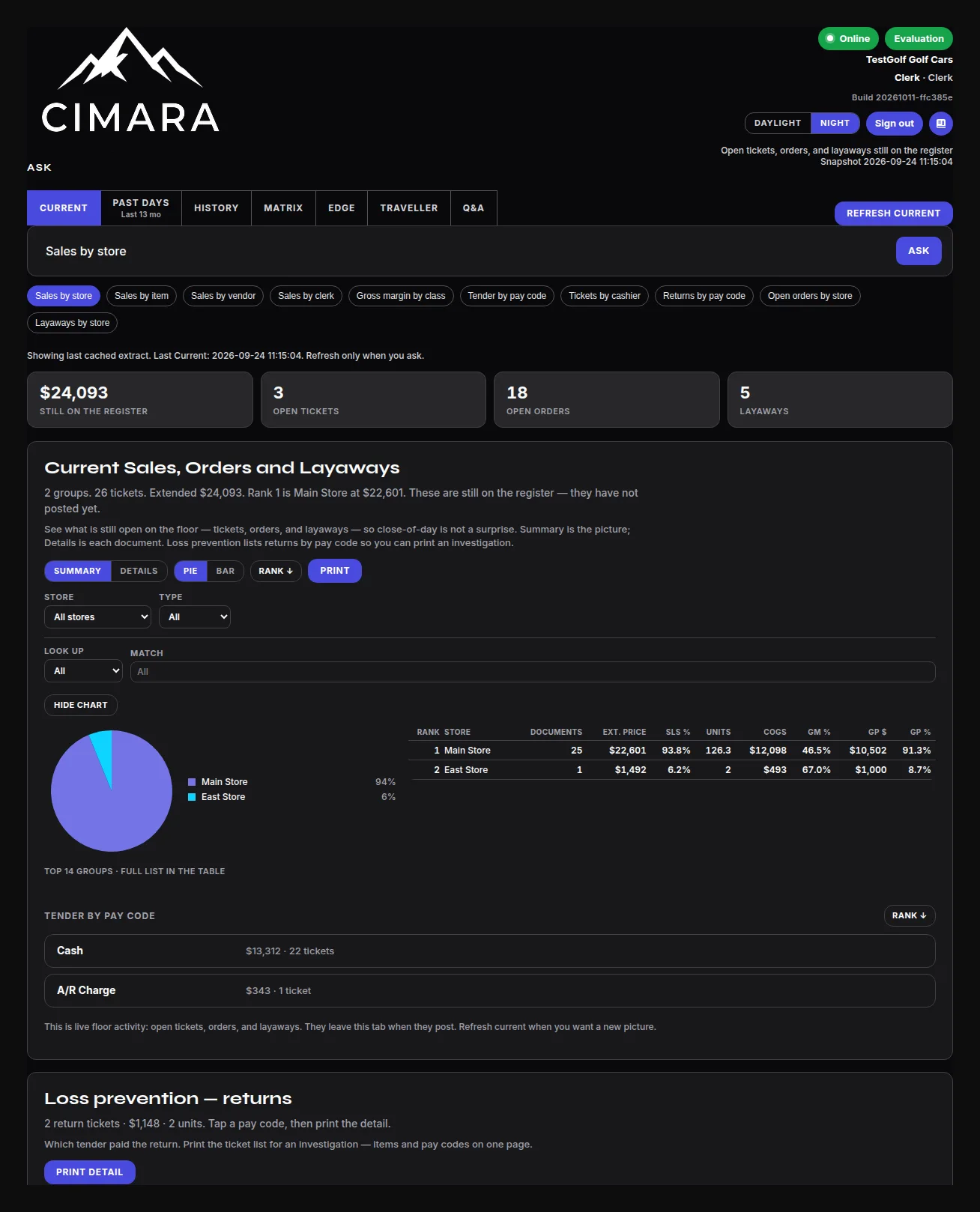
How it works
- Sales history is loaded overnight. Each morning the reports cover sales through the previous day.
- You ask a question. For example: which vendors sold best last month?
- CIMARA Ask AI answers with a report. Columns, subtotals, a grand total and a chart, which you can drill into, save and rerun.
- You decide. CIMARA Ask AI makes recommendations. It does not place orders or change prices.
Buying reports that show their reasoning
The Advanced Dashboard builds buying reports from your own history. Each opens by vendor, drills down to items and shows the reason behind a suggestion. Business Analyst, under the Advanced tab, writes a full analysis from the same data: store-by-store comparison, GMROI, turns and weeks of supply. The Advanced Dashboard is on when your license includes it. Its reports run on your data in the browser; only the optional AI Buyer Analysis uses AI.
- Open to Buy: a monthly plan of sales, receipts and ending inventory, with Replace and AI views, grouped by department, class or vendor and filtered by store
- Purchasing recommendations: Reorder and Suggested PO
- Transfer: stock reallocation between stores
- Markdown Recovery
- Vendor GMROI
- Show Buyer View: trade-show and market planning built on Open to Buy
Four views of the same data
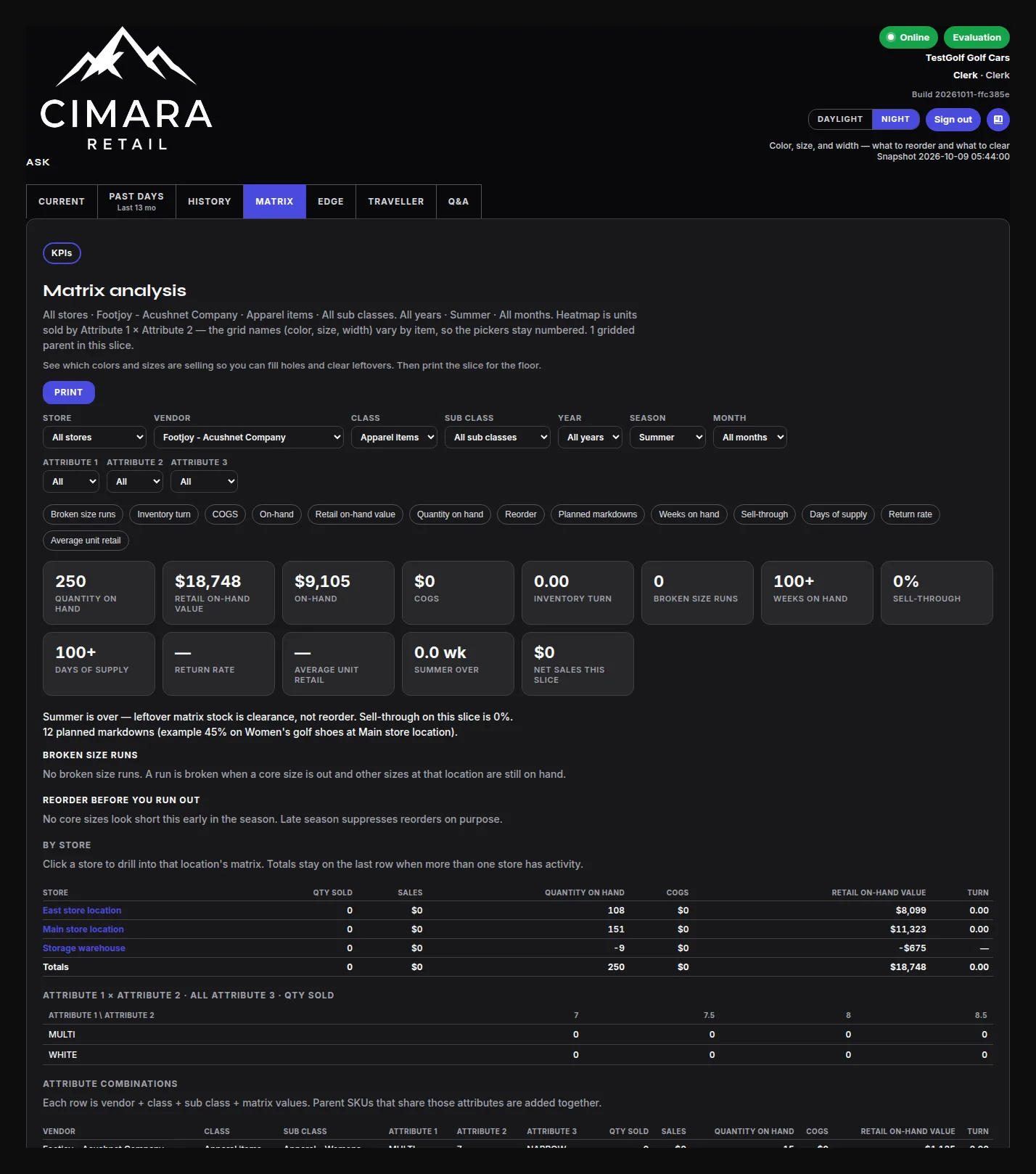
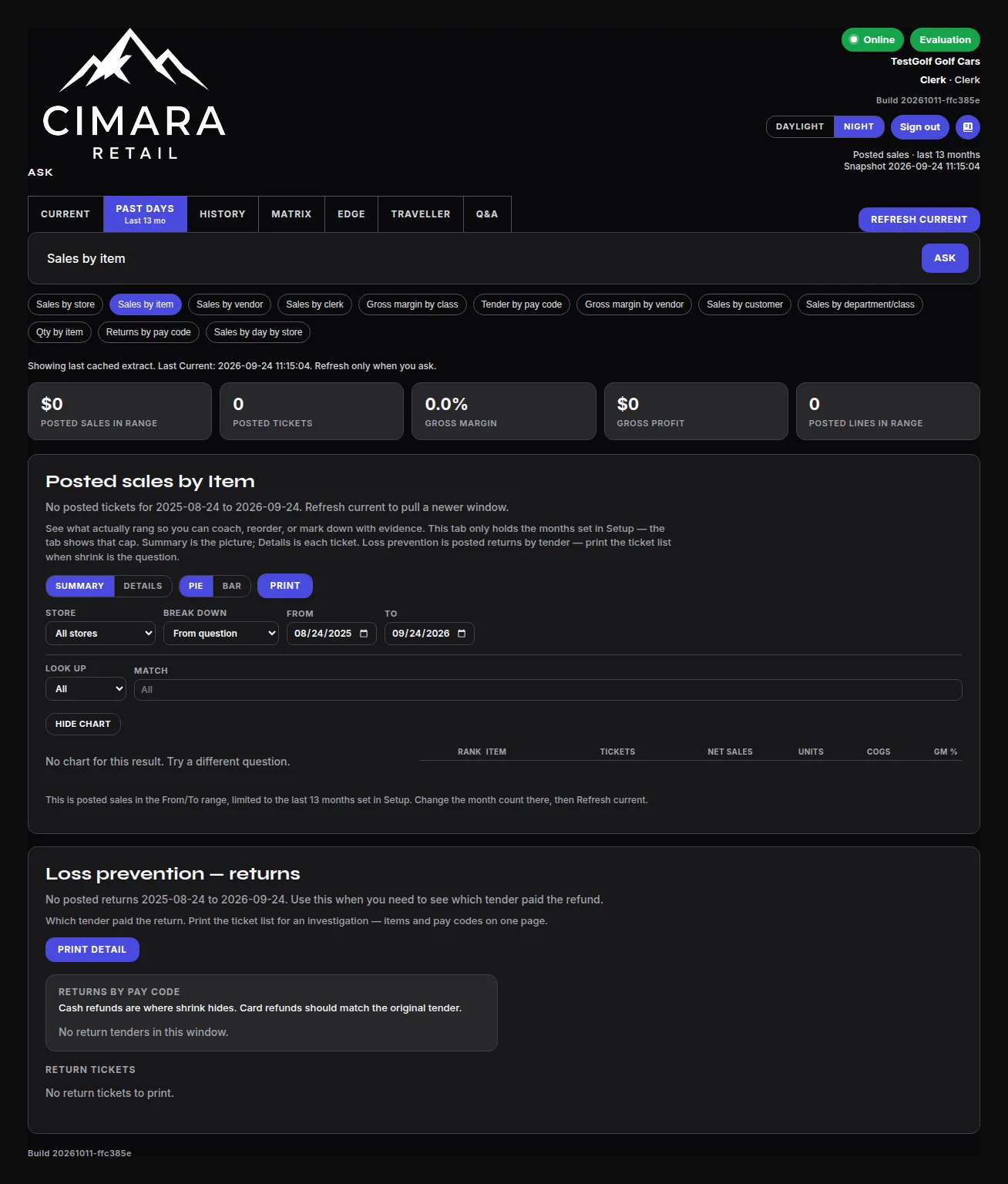
The dashboard has four tabs. Current is a snapshot of open tickets, orders and layaways, refreshed when you ask for it. History covers past periods. Matrix shows sell-through. Edge shows patterns such as sales by hour.
Export any answer to Excel, PDF, CSV, Print or Email. Excel, PDF and print include money-column totals and a record count.
Available today on NCR Counterpoint
Show Buyer View: plan the gift market and see planned versus actual before you leave
Show Buyer View is trade-show and gift-market planning on the Advanced tab of CIMARA Ask AI, built on AI Open to Buy. Plan each show from the season’s Open to Buy, then track actual against that plan on your phone.
Before the show
Plan
Set the show budget by department from the season’s Open to Buy. Plan spend per vendor, in retail or in cost, with appointment day and time, and set aside a reserve for new vendors. Sort by appointment or by vendor, then print or email the Show Plan with totals.
At the booth
Track
The Appointments view on your phone lists vendors by appointment time. Tap a vendor for planned, actual and the variance. Actual is your estimate at the booth, and available Open to Buy drops as soon as you enter it. Quick-add a new vendor at the show; that spend counts against the new-vendor reserve.
Afterward
Compare
When the vendor’s purchase order posts in NCR Counterpoint, the posted cost replaces your booth estimate, so Open to Buy is never counted twice. Review planned versus actual and the final variance, per vendor and in total.
What Show Buyer View gives you
- A show budget taken from the season’s Open to Buy, by department
- Planned spend per vendor, in retail or in cost
- Appointment days and times, sorted by appointment or by vendor
- A new-vendor reserve, with quick-add for vendors found at the show
- Planned, actual and plus-or-minus variance, per vendor and in total
- Department Open to Buy left and show budget left, in cost, retail and GM$
- Last show’s buy, and how those items sold against last season
- Print, email, PDF, Excel or CSV at any time
Sample data
Appointments
Vendors by appointment time. Tap for planned, actual and variance.
Illustrative labels. Not a live store.
Good to know. Show Buyer View does not place purchase orders, and NCR Counterpoint stays the system of record. The variance is a number, not a judgment: it shows plus or minus and does not label a buy as over or under.
Licensing. Show Buyer View requires CIMARA Ask AI with Advanced reporting. Advanced reporting is licensed per store.
Also in the Advanced Dashboard
Advanced Dashboard & Reporting is on when your license includes it. Alongside the buying reports and Show Buyer View, it adds these tools.
Business Analyst
Writes the store-against-store analysis. The figures are computed first; AI writes the narrative.
Price & Stock Checker
Look up an item, a description, a vendor item number or a barcode. On hand, committed, available and on order, by store.
Ticket Validator
Scan or type a ticket, pick a clerk or scan an item. Posted tickets and open holds, orders, layaways and quotes.
Returns analysis
Returns by card last four: cards refunded more than once in the date range, with the ticket lines.
Scheduled reports
Email a report on a repeat, in Excel, PDF or CSV, when email is on for the shop.
Exports and cost visibility
Export to Excel, PDF, CSV, Print or Email. Approximate cost stays hidden without the View Costs permission.
Reports in the Advanced Dashboard run on your data in the browser; only the optional AI Buyer Analysis uses AI. These tools work on NCR Counterpoint data today, and Counterpoint stays the system of record.
Licensing and access
CIMARA Ask AI is its own product, licensed per store with unlimited users. Each answer is limited by the user’s security role.
- Works with: NCR Counterpoint today. CIMARA Core integration is coming soon
- Users: unlimited
- Data: sales history is updated overnight; the Current tab is a snapshot refreshed on request
- Your data: your data is not used to train AI models. Customer-level details do not reach the AI provider. Only store-level sales and inventory data does. See the Privacy Policy
- Monthly use: CIMARA Ask AI pauses at 100% of your monthly use. See the Billing Terms
- Help getting started: Retail AI consulting
Available today and coming soon
Available today
- Plain-English questions with charts
- Current, History, Matrix and Edge views
- Advanced Dashboard & Reporting, when licensed
- Open to Buy, with Replace and AI views
- Show Buyer View for trade shows and gift markets
- Business Analyst written analysis
- Stock reallocation and purchasing recommendations
- Markdown Recovery and Vendor GMROI
- Price & Stock Checker and Ticket Validator
- Returns analysis by card last four
- Saved reports and scheduled emailed reports
- Export to Excel, PDF, CSV, Print or Email
Coming soon
- Suggestions turned into ready-to-review purchase orders, transfers and markdowns in CIMARA Core
- Integration with CIMARA Core, built into daily Core workflows
- A dashboard tailored to rental operators
Questions
CIMARA Ask AI, in plain terms
What is CIMARA Ask AI?
Frontier Retail, Inc. publishes CIMARA Ask AI as part of CIMARA, travel, tourism, and retail software. Ask a plain-English question about your own sales and inventory and get a chart. CIMARA Ask AI for Counterpoint is available today. CIMARA Ask AI for CIMARA Core is coming soon. CIMARA Ask AI does not place the order or change the price.
Which systems does it work with?
CIMARA Ask AI for Counterpoint is available today. CIMARA Ask AI for CIMARA Core is coming soon.
What does it cost?
CIMARA Ask AI is its own product, licensed per store with unlimited users. Book a demo and we will quote your setup.
How accurate is it?
CIMARA Ask AI answers from the totals in your sales data. Each answer shows its source and date window. Check that window before you act on a number.
How long is setup?
Setup depends on the system you already run. Book a demo and we will walk through what your shop needs.
Is my data safe?
Your data is not used to train AI models. Customer-level details do not reach the AI provider. Only store-level sales and inventory data does. Read the CIMARA Ask AI section of the privacy policy.
What is the Advanced Dashboard & Reporting option?
The Advanced Dashboard & Reporting option is on when the license includes it. It is the foundation for the full integration of CIMARA Ask AI into CIMARA Core. Open to Buy is the headline report. CIMARA Ask AI has an Open to Buy worksheet for Counterpoint shops. The system of record stays Counterpoint, and the worksheet does not place orders. It reads Counterpoint history: month-start retail inventory, receipts, transfers, sales, markdowns, shrink, and open purchase orders. Every dollar is retail. A Replace view covers what sold. An AI view marks each line Increase, Decrease, or Hold, with the reason. Group by department, class, or vendor, and filter by store. The plan period matches the chosen history range. Approximate cost equals retail open to buy x (1 – GM%). That cost stays hidden without View Costs. Export the worksheet to CSV, Excel, PDF, Print, or Email. Stock reallocation, purchasing recommendations, markdown recovery, vendor GMROI, Business Analyst, Price & Stock Checker, Ticket Validator, and returns by card last four are on the Advanced tab. A signed-in shop can also email a report on a repeat when email is on. Reports in the Advanced Dashboard run on your data in the browser; only the optional AI Buyer Analysis uses AI. Coming soon to CIMARA Core: the same CIMARA Ask AI, built right into your daily workflows. Its merchandise recommendations become ready-to-review purchase orders, transfers and markdowns with no manual entry, saving untold hours of tedious data analysis so you can make informed decisions with the reasoning to back them up.
Does Counterpoint have Open to Buy?
CIMARA Ask AI has an Open to Buy worksheet for Counterpoint shops. The system of record stays Counterpoint, and the worksheet does not place orders. It reads Counterpoint history: month-start retail inventory, receipts, transfers, sales, markdowns, shrink, and open purchase orders. Every dollar is retail. A Replace view covers what sold. An AI view marks each line Increase, Decrease, or Hold, with the reason. Group by department, class, or vendor, and filter by store. The plan period matches the chosen history range. Approximate cost equals retail open to buy x (1 – GM%). That cost stays hidden without View Costs. Export the worksheet to CSV, Excel, PDF, Print, or Email.
How do I do Open to Buy planning with NCR Counterpoint?
CIMARA Ask AI has an Open to Buy worksheet for Counterpoint shops. The system of record stays Counterpoint, and the worksheet does not place orders. It reads Counterpoint history: month-start retail inventory, receipts, transfers, sales, markdowns, shrink, and open purchase orders. Every dollar is retail. A Replace view covers what sold. An AI view marks each line Increase, Decrease, or Hold, with the reason. Group by department, class, or vendor, and filter by store. The plan period matches the chosen history range. Approximate cost equals retail open to buy x (1 – GM%). That cost stays hidden without View Costs. Export the worksheet to CSV, Excel, PDF, Print, or Email.
What is Business Analyst?
Business Analyst is live under the Advanced tab of CIMARA Ask AI. It turns a store’s raw sales and inventory data into a full written business analysis, like a seasoned retail consultant, in minutes. It covers store-by-store peer comparison, GMROI, turns, weeks of supply, monthly trends, day-of-week heatmaps, and purchasing, markdown, and stock reallocation recommendations with the AI’s reasoning. On Advanced, drill to the item and read the AI reason. It is built from your own data. No spreadsheets or exports.
What is Show Buyer View?
Show Buyer View is trade show and market planning on the Advanced tab of CIMARA Ask AI, built on AI Open to Buy. Plan each gift market and trade show, then track planned versus actual spend and the variance by vendor and by Department. It requires CIMARA Ask AI with Advanced reporting. Advanced reporting is licensed per store.
How do I plan a show or a market?
Plan each show and market budget from the season’s Open to Buy. Give the show a budget by Department, set aside a new-vendor reserve, and plan spend per vendor in retail or in cost, with appointment day and time. Sort by appointment or by vendor, and print or email the Show Plan with totals. Show budgets use Department. The Open to Buy worksheet still groups by Department, Class, or vendor.
How do I see planned versus actual on the show floor?
On your phone, open Appointments. Vendors are listed by appointment time. Tap one to see planned, actual, and the variance, plus or minus. Actual is your estimate until the vendor’s purchase order posts in Counterpoint. Then the posted PO cost replaces the estimate, so Open to Buy is never double-counted. The variance stays visible per vendor and in total. You can also see Department Open to Buy left and the show budget left in cost, retail, and GM$, plus what you bought from that vendor last show and how those items sold against last season.
Does a plus or a minus mean I bought wrong?
No. Show Buyer View shows the variance. It does not judge over-buying or under-buying. It does not write the purchase order. At the show the vendor often writes the order.
See CIMARA in a live demo
Tell us what you sell. We will set up a live session with your mix of retail, rentals and admissions.